
Christmas Gift Budget App: Compare Features and Plan Holiday Spending

What if your Christmas gift plan lived in one place, instead of across notes, messages and memory? Christmas spending can be difficult to track when each recipient, purchase and group contribution has its own thread. A christmas gift budget app can bring those details together, making it easier to see what’s planned and what’s already purchased.
Useful features are practical ones: an occasion budget, recipient lists, a way to record purchased gifts and visible totals for group contributions. This article compares what to look for and explains how to organise festive spending, gift plans and shared gifts with less follow-up.
With Nifty Gifty App, organisers can track occasion budgets, lists and purchased gifts in the iOS or Android app. Share a gift list by secure link or QR code so guests can claim gifts without downloading the app or creating an account. For group gifts, contributors chip in separately while the app shows a live running total. It tracks contributions, but doesn’t process payments. One app. Unlimited occasions. Every gift tracked.
Table of Contents
What should a Christmas gift budget app help you organise?
Choosing presents is enjoyable, but keeping spending, names and purchase notes straight takes a little more effort. A useful Christmas gift budget app brings those details into one place, so you can review your plan without checking several notes or message threads. Look for tools that make the plan easier to follow rather than adding another set of tasks to maintain.
A gift budget is a plan for present spending, separate from a household budget covering broader income and expenses. You can set an overall amount for gifts, then decide how to divide it among recipients. That’s practical organisation, not financial advice. For broader context, understanding personal financial management shows how budgeting tools fit within the wider work of tracking finances.
What does a gift budget app track?
Look for three useful views: the total budget for the occasion, the amount you plan for each recipient and the spending you record as gifts are purchased. Together, they show how the overall plan is progressing. For example, you could set an amount for each child, relative or friend, add gift ideas against their names, then record purchases as you go.
A Christmas gift budget app is a tool for organising planned gift spending, recipient details and purchased gifts for the festive occasion. The distinction matters: a planned gift isn’t a purchase yet, and an amount allocated to a recipient isn’t the same as spending recorded. Clear labels help you see what still needs attention without relying on memory or recalculating the plan.
Who benefits from using one at Christmas?
A gift budget app can help the family organiser keeping track of presents for children, relatives and friends, particularly when plans change or gift ideas arrive at different times. A single list can hold each recipient’s ideas and purchase status, rather than leaving the details scattered across notes and chats.
It can also help families coordinating gifts across cities or countries. Shared information gives everyone a clearer view of the plan, even when they aren’t in the same room. When several people are involved, a shared list makes it easier to see which gifts have been claimed and where plans still need a conversation. The aim is to keep useful details together and leave more attention for the people you’re celebrating.
Choose features that fit the way you organise. If updating a list feels like extra admin, keep the workflow simple. Nifty Gifty App brings occasion budgets and gift details together in its mobile app, giving organisers one place to keep their festive plan in view.
Which Christmas gift budget app features are worth comparing?
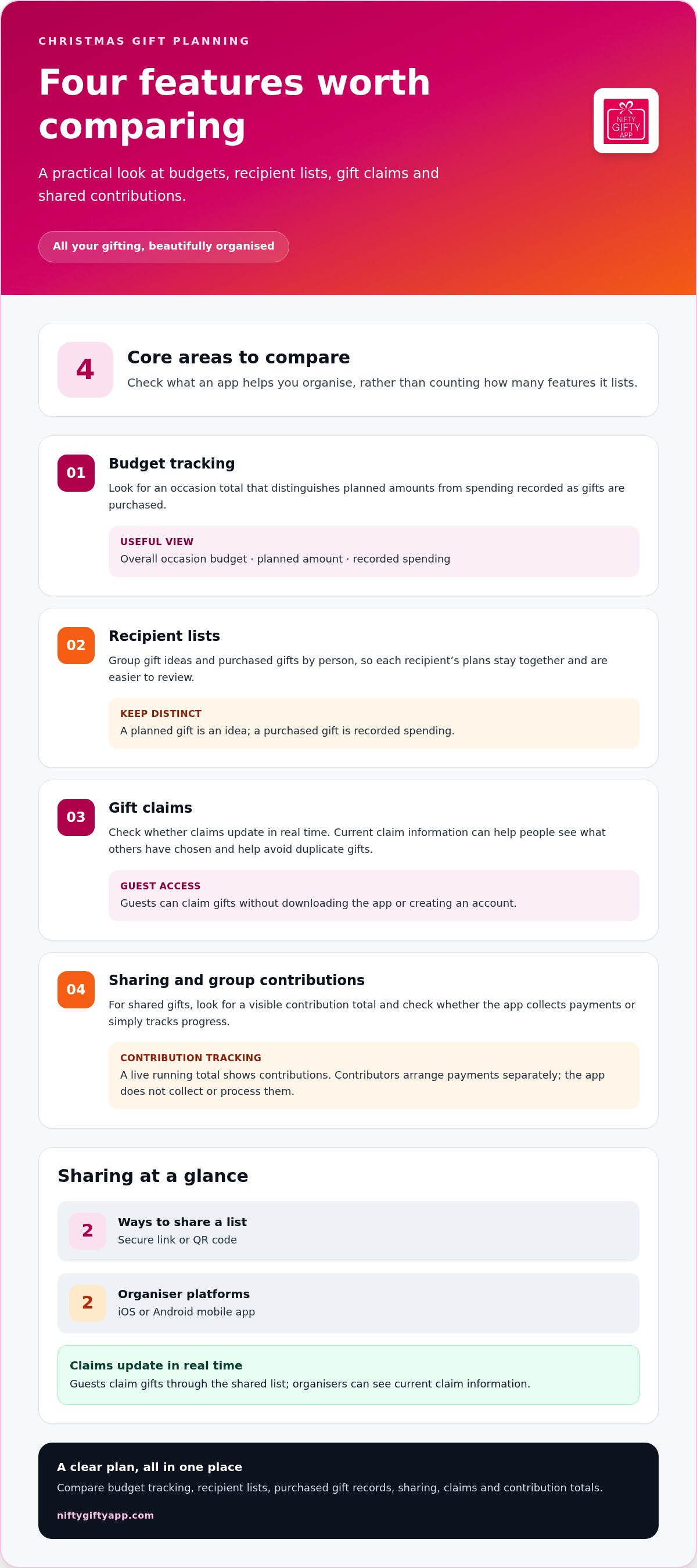
Start by listing the tasks you need the app to handle. Can you review the occasion budget, keep gifts grouped by recipient, see which gifts guests have claimed and share the list easily? A Christmas gift budget app should make those details simple to update and easy to find, rather than adding more admin.
Budget and gift tracking in one place
Look for a clear distinction between the amount planned and spending recorded. An occasion budget gives you the overall view, while recipient lists help you organise the plan person by person. When a gift is purchased, recording it makes it easier to review what’s covered and what’s still an idea.
Updates should be straightforward on a mobile device, so you can review the list while making plans or record a purchase as you go. Nifty Gifty App gives organisers a mobile place to track occasion budgets, spending, gift lists and purchased gifts. Organisers use the iOS or Android app.
Sharing, claims and group contribution tracking
Check how guests access a shared list. With Nifty Gifty App, organisers share by secure link or QR code, and guests can claim gifts without downloading the app or creating an account. Claims update in real time, helping people see what others have chosen and helping avoid duplicates.
For a group gift, look for a visible contribution total, and check what that feature actually does. Nifty Gifty App tracks contributions with a live running total. Contributors arrange payments separately, as the app doesn’t collect or process them.
Keep your checklist focused: budget tracking, recipient lists, purchased gift records, simple sharing, current claims and clear contribution totals. Gift retail, price comparison and payment processing are separate functions, not essential list-organising features. To see these organising features together, explore Nifty Gifty App gift planning.
How do you choose an app that fits your Christmas plans?
Start with your gifting plans, not a long feature list. The right christmas gift budget app should suit the people you’re organising for, the way you track spending and how much help you need from family members.
Use this short process to narrow down what matters:
Map your recipients and occasions. List the people you’re planning gifts for and note which celebrations you’re organising. This helps you decide whether one list or separate plans will suit your needs.
Set a personal spending limit. Decide what amount you want to keep in view, then consider whether you need an overall occasion total, recipient-level allocations, records of purchased gifts or all three.
Choose your organising style. If you’re managing gifts on your own, straightforward list and budget tracking may be enough. If relatives are choosing gifts too, shared lists and live claim updates can help everyone stay up to date.
Check access and ease of updating. Consider whether you usually organise on a mobile device and whether the app supports the devices you use. Think about how guests will view the list and take part as well.
Start with your recipient list and spending plan
A longer list is easier to review when each person has their own space for gift ideas and purchases. You might group children, relatives and friends separately, then record which gifts are planned and which have been purchased. This helps you review the plan without making spending decisions for you. Choose a personal limit that suits your circumstances, then compare apps by how clearly they show your plan.
Match sharing features to your family
Think about how your family prefers to coordinate. If relatives are spread across cities or countries, a shared list helps everyone check what’s planned without relying on a long chain of messages. Guest access matters too: consider whether people can view and claim a gift without installing an app or creating an account.
Real-time claim updates are useful when several people are choosing presents. They show when someone has claimed a gift, which can help avoid duplicates. For shared gifts, consider whether you need a visible contribution total as well as a list. A contribution tracker shows the running total, but it doesn’t necessarily collect or process payments.
For more ideas on matching list features to your organising style, read this gift list organiser app guide. A few clear decisions about recipients, spending and sharing can make it easier to find an app that fits the way your family plans Christmas.
What should you check about privacy, payments and app access?
A shared gift list should be easy for guests to use and give the organiser a clear view of what’s happening. Before choosing a Christmas gift budget app, check how guests access the list, what the app does with group contributions and whether the organiser’s app works on their device.
Understand how sharing works before you send a list. Nifty Gifty App lets organisers share using a secure link or QR code. Guests can claim gifts without downloading the app or creating an account. That keeps the guest step simple, whether you share the link in a family message or show a QR code in person.
How do guests access and claim gifts?
Guests open the shared link or scan the QR code to view the gift list and claim a gift. Claims update in real time, so other guests can see current information and the organiser can keep track. This can help avoid duplicate gifts when several people are planning together.
Keep the roles clear: guests claim gifts, while recipients receive them. A recipient doesn’t need to claim their own present. If you’re coordinating for family members in different places, a shared link lets guests take part without an app download or account setup.
How are shared gift contributions handled?
For a group gift, contributors chip in separately and the organiser can see a live running total in the app. That total helps everyone follow contribution progress, but payments don’t happen inside the app.
Contribution tracking shows the running total; payment handling is separate, and Nifty Gifty App doesn’t collect or process payments.
Also consider where the organiser needs to use the app. Nifty Gifty App is for organisers using an iOS or Android mobile device. There’s no desktop or web app for organisers, so mobile organising needs to suit the way you normally plan gifts.
An app should simplify the routine, not add another round of administration. Keep one workflow: organise recipients and gift ideas, record purchased gifts, review the budget, then share the list. That’s easier to maintain than updating separate notes and repeating details in messages. To keep those steps together, organise your Christmas gift list with Nifty Gifty App.
How does Nifty Gifty App support Christmas gift budgeting?
A Christmas gift budget app is most useful when your plan carries through from the recipient list to the spending record. Nifty Gifty App brings those organising steps together, so you can keep Christmas gift details in one place instead of splitting them across notes and conversations.
Organise Christmas lists and spending from your phone
Organisers use the Nifty Gifty App mobile app on iOS and Android. Add recipients and build gift lists, then track the occasion budget and record spending as gifts are purchased. The list shows what you’re planning for each person, while the budget and spending view helps you review the overall plan.
That gives you a straightforward routine: add a recipient, note gift ideas, record purchases and check the budget as plans develop. Instead of trying to remember which note has the latest detail, return to the app for the current list. It’s a practical way to keep the family gift plan in view while leaving room for the fun part: choosing thoughtful presents.
Share a list and coordinate a group gift
Ready to involve other people? Share a gift list using a secure link or QR code. Guests can claim gifts without downloading the app or creating an account, and claims update in real time. That helps you see what has already been claimed and can help avoid duplicate gifts when several people are organising together.
For a shared present, contributors chip in separately. Nifty Gifty App displays their contributions as a live running total, giving the organiser a clear view of progress. The app tracks contributions, but doesn’t collect or process payments. Contributors arrange payment separately.
Nifty Gifty App includes a 14-day free trial, then $7.99 a year. For the organiser keeping Christmas plans together, it brings recipients, gift lists, budget tracking and contribution totals into one mobile workflow.
Make your Christmas gift plan easier to follow with Nifty Gifty App. One app. Unlimited occasions. Every gift tracked.
Make your Christmas gift plan easier to manage
The right christmas gift budget app should help you keep spending and gift details together without adding extra admin. Look for clear occasion budget tracking, recipient lists and a simple way to record purchased gifts. If family members are involved, shared lists and live claim updates can help everyone follow the plan.
Nifty Gifty App brings gift lists, occasion budgets and spending into one mobile app for organisers. Share a list through a secure link or QR code so guests can claim gifts without downloading the app or creating an account. For group gifts, the app shows contributions as a live running total. Contributors arrange payments separately, as Nifty Gifty App doesn’t process them.
Ready to bring your Christmas gifting into one place? Organise Christmas gifting with Nifty Gifty App. Keep the planning clear, share the joy and enjoy more of the moments that make Christmas special. One app. Unlimited occasions. Every gift tracked.
Frequently Asked Questions
What is a Christmas gift budget app?
A Christmas gift budget app helps you organise planned gift spending and recipient details in one place. Depending on the app, you may also be able to record purchased gifts, share lists or track group contributions. A christmas gift budget app can suit simple budget tracking or broader family coordination. Compare its features with your plans, including how many people you’re organising for and whether others need to view or claim gifts.
Can a gift budget app help you avoid buying duplicate presents?
Yes, a shared list with visible gift claims can help people see what’s already been chosen. With Nifty Gifty App, guests claim gifts through a secure link or QR code, and claims update in real time. This gives organisers and guests a clearer view as plans change. It can help avoid duplicate presents, though an app can’t guarantee that duplicates won’t happen. Keep the list current as gifts are planned and purchased.
How do you set a Christmas gift budget in an app?
Start by listing the people you plan to give gifts to, then set a spending limit that suits your circumstances. Add planned gifts under each recipient and record spending as gifts are purchased. Review the overall occasion budget as you update the list to see how your plan is progressing. An app helps organise these details, but your spending choices remain yours. It isn’t a substitute for personal judgement or financial advice.
Do guests need to download an app to claim a gift?
It depends on the app. With Nifty Gifty App, organisers share a gift list through a secure link or QR code. Guests can claim gifts without downloading the app or creating an account, and claims update in real time. Organisers use the mobile app to manage lists and budgets; guests use the shared list to claim. Recipients receive gifts rather than claiming them for themselves.
Does a gift budget app collect money for group gifts?
Not necessarily. Tracking contributions and processing payments are different functions, so check which one an app provides. Nifty Gifty App records group contributions as a live running total, helping organisers see contribution progress. It doesn’t collect or process payments. Contributors arrange their payments separately. A visible total is useful for coordinating a shared gift, but it isn’t a payment record or confirmation that money has been transferred.
Can you use a Christmas gift budget app on a computer?
App access varies by product. Nifty Gifty App is for organisers using the iOS or Android mobile app, with no desktop or web app for organisers. Guests can access shared gift lists through a secure link or QR code without downloading the app. Consider whether organising from your phone suits your usual habits, especially if you prefer to update recipient lists and spending while you’re on the go.
Is Nifty Gifty App free to use?
Nifty Gifty App includes a 14-day free trial, then $7.99 a year. Organisers can use the app to manage gift lists and track occasion budgets and spending. They can also share lists so guests can claim gifts through a secure link or QR code without downloading the app or creating an account. Group contributions appear as a live running total, but the app doesn’t process payments.


Comments